designer/engineer

Wicked good design for wicked problems.

Featured Work

PROJECT FELINES

PROJECT FELINES

The Alzheimer’s field spent billions clearing amyloid plaques from brains that kept declining. FELINES is what happened when I stopped accepting that narrative and started tracing upstream: iron dysregulation, ferroptosis, vascular failure, across six neurodegenerative diseases that enter through different doors but break down the same way.

GOINVO WEBSITE

GOINVO WEBSITE

Migrating a healthcare UX studio off aging Gatsby infrastructure onto Sanity CMS, animated page transitions, and accessibility-first architecture. Nine document types, card-morph transitions, and a content pipeline that lets non-technical editors publish without touching code.

WRITROSPECT

WRITROSPECT

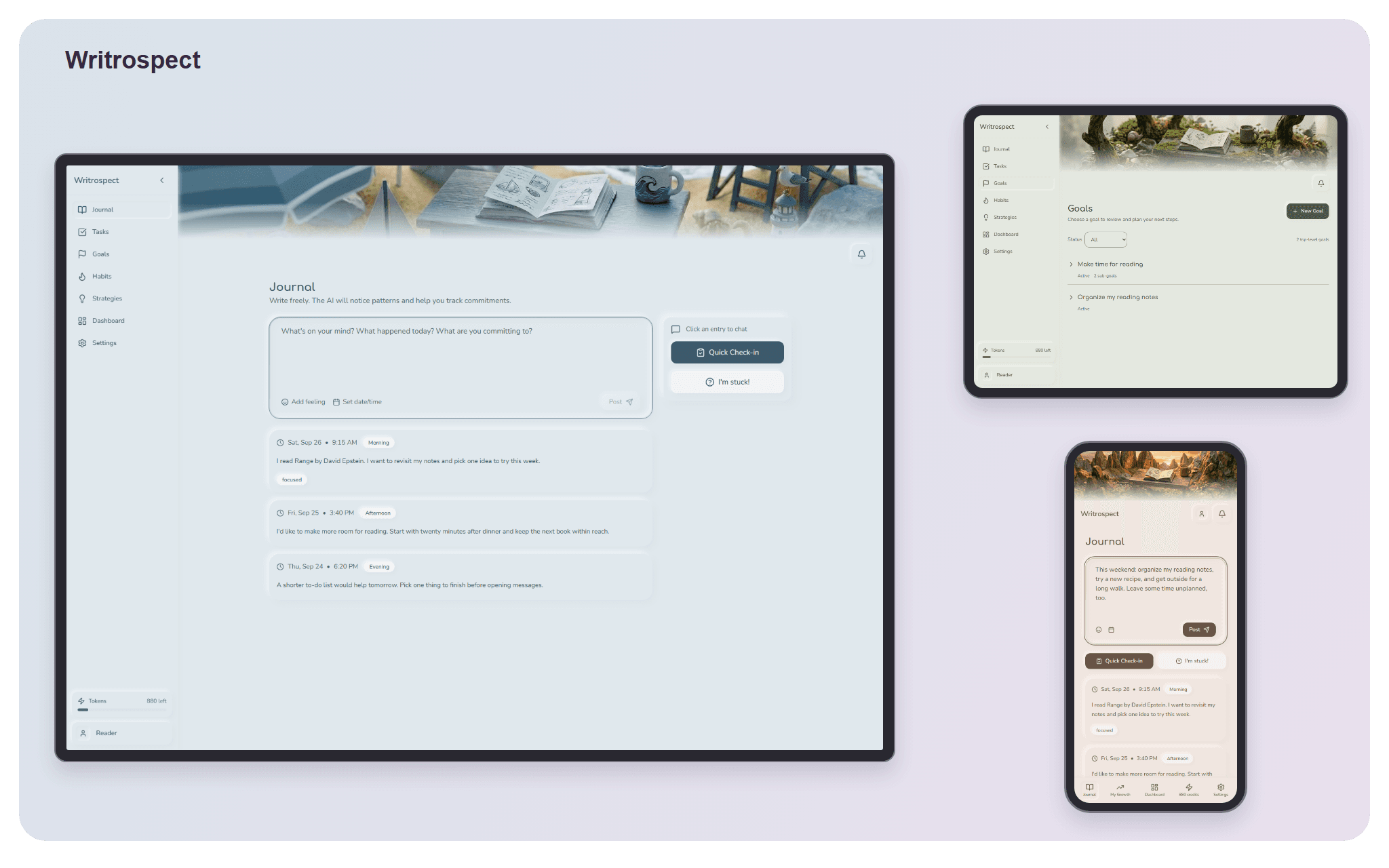
An AI-assisted journaling tool that solves the blank-page problem. Built on neuroscience research about why people abandon commitments to themselves, with a prompt architecture that adapts to what you actually need rather than loading everything at once.

RENDOMAT

RENDOMAT

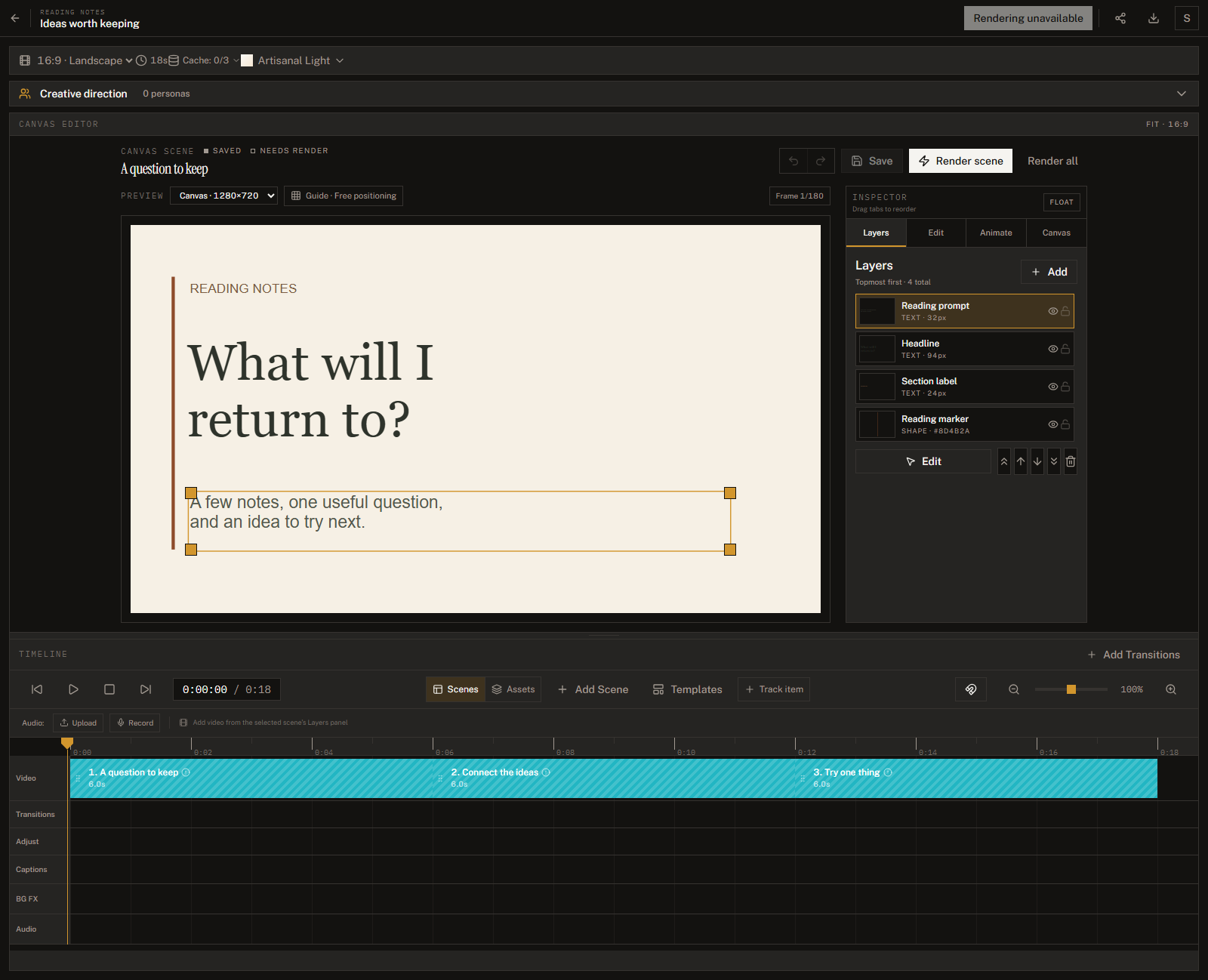
A programmatic video studio built at GoInvo. Turns structured content into multi-platform video with professional motion design, replacing a manual production pipeline that took a full day per video with an automated system that renders in minutes.

PHYLACTORY

PHYLACTORY

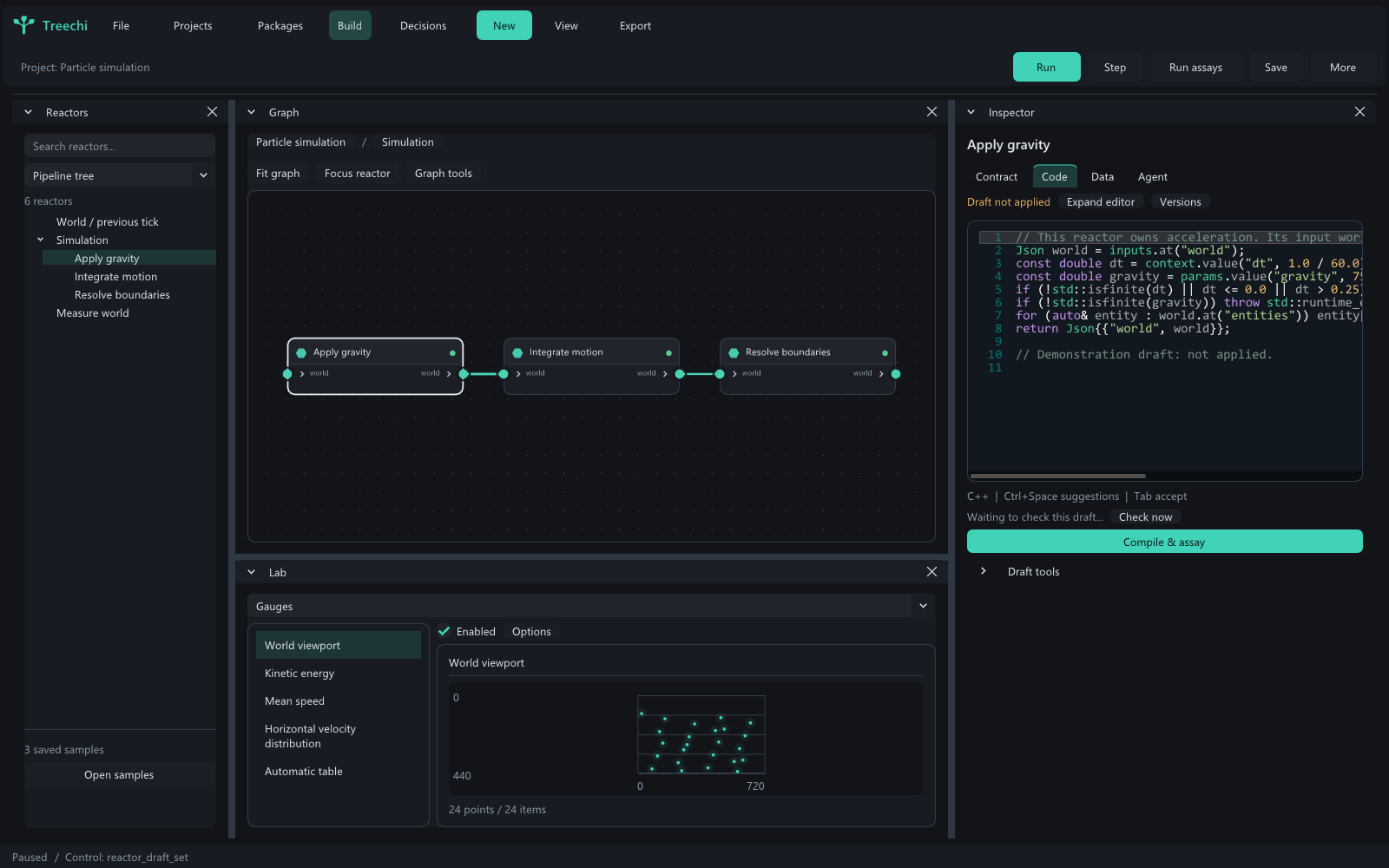
100,000+ concurrent units in a fantasy game that fuses factory management with real-time strategy. Built a custom Entity-Component-Space system from scratch in Godot 4 with C++ and GDExtension, hand-crafted every sprite and tileset in Aseprite, and designed twelve interconnected game systems such as energy grids, trains, pipes, and formation AI.

Case Study

One day per video.
Then minutes.

A programmatic video studio built at GoInvo that treats video frames as React components, replacing a manual production pipeline with an automated system that renders multi-platform content from structured data.

View Project
01

The Problem

At GoInvo, we produce outreach videos for healthcare and civic design projects: explainers, pitch decks, data-driven narratives. The process was entirely manual. Open Premiere or After Effects, lay out text, animate charts by hand, export, repeat. Every new video meant starting from scratch.

The bottleneck wasn't creative direction. It was production. A two-minute video with six scenes, a few charts, and some text animation could take a full day. Change the data? Re-render. New client branding? Rebuild the project. Need it in square for Instagram and vertical for TikTok? Do it again twice.

The people who needed to create these videos (designers, researchers, project leads) weren't video editors. They had the content and the stories, but the tooling stood between them and a finished video.

The bottleneck wasn't creative direction. It was production.

02

Research

Before building anything, I surveyed the landscape of video production tools to understand what existed and where the gaps were.

Traditional editors

Premiere, After Effects

Powerful but manual. Every video starts from scratch. Not programmable for batch generation.

Template platforms

Canva, Lumen5

Fast for non-technical users, but locked into their template library, animation vocabulary, and export options. Low output ceiling.

AI-native video

jitter.video

Design-driven and motion-first, with AI auto-animation from Figma imports. Great for one-off motion design, but no programmatic API or batch pipeline: each video still needs manual setup, so it doesn't solve the recurring-content throughput problem.

Code-based video

Remotion

The right abstraction. Frames as React components. Full web platform power. No visual editor, but that enables the automation we needed.

Remotion reframes video as a React rendering problem. Each frame is a React component rendered via headless Chrome and FFmpeg. Scenes are components, themes are data, aspect ratios are free, and rendering is automated. The tradeoff is no visual editor, but that's exactly what enables the automation we needed.

03

Choosing the Visual Style

Most video generation tools default to the same look: rounded corners, blue-purple gradients, geometric sans-serif type. Clean but generic. I wanted Rendomat to feel like a creative environment, not an admin panel. The direction: editorial, inspired by VSCO, print magazines, and film photography aesthetics.

Why sharp corners everywhere?

No border-radius. It immediately shifts the tone from "software product" to "design tool." It signals intentionality.

Why warm, muted tones?

Background at hue 30 (warm beige), amber/gold accent at hue 38. It feels like paper, not screen. A creative environment, not an admin panel.

Why serif typography?

Instrument Serif for titles gives weight and character. Combined with uppercase tracked captions for labels, it creates a typographic hierarchy that feels considered.

Why minimal ornamentation?

No gradients, decorative shadows, or illustrations. The content (videos, timeline, scene data) is the interface. Inspired by VSCO, print magazines, and film photography.

Rendomat client and projects management interface

Scenes are components. Themes are data. Aspect ratios are free.

The same composition renders at 16:9, 1:1, or 9:16 by changing two numbers. One render pass produces content for every platform.

04

Architecture

The core abstraction is the scene. Rendomat ships with 13 scene types, each a self-contained React component with typed props. Adding a new scene type is just writing a new React component. No framework plugins, no custom DSL.

Narrative

Text, quote, equation (LaTeX with step-by-step reveals)

Data

Bar, line, pie, area charts, progress bars

Visual

Single image, dual, grid, gallery

Smart Caching

Rendering video is slow. A seven-scene video can take 2–3 minutes on initial render. But most edits only touch one or two scenes. The caching system hashes each scene's data and frame range with SHA256. Only scenes with changed hashes get re-rendered. The final video is stitched from cached clips using FFmpeg.

Editing one scene in a seven-scene video drops render time from minutes to under a minute. Re-exporting with no changes takes seconds.

17 Transition Types

Transitions render as separate clips and stitch independently, so changing a transition doesn't invalidate the scenes on either side. Each has preset duration and easing (linear, ease-in/out, spring physics).

Basic

Cut, crossfade, fade to black/white

Directional

Slide and wipe in four directions each

Cinematic

Zoom, blur, glitch, morph

After Effects Export

For projects needing post-production polish beyond what Remotion handles, Rendomat exports a full After Effects project. The pipeline generates a JSON manifest describing every layer, keyframe, and easing curve, then an ExtendScript importer reconstructs the composition with accurate timing, blend modes, and bezier easing.

Rendomat handles the 90% case. When a client needs a custom animation, the project transfers cleanly into After Effects without starting over.

Multi-Platform Export

16:9

1920×1080

YouTube, website embeds, LinkedIn video

1:1

1080×1080

Instagram feed, LinkedIn feed

9:16

1080×1920

TikTok, Instagram Reels, YouTube Shorts

05

Cloud Rendering

Local rendering ties up the machine. A seven-scene video can block the Node.js process for two to three minutes, and there's no way to serve multiple users from a single instance. To scale Rendomat beyond a single-operator tool, I moved the render pipeline to AWS Lambda using Remotion's serverless infrastructure.

The server exposes a /api/render/capabilities endpoint that reports whether Lambda is configured. When it is, the UI offers cloud rendering alongside the local option. Clicking “Render in Cloud” triggers an authenticated request that validates the video, checks the user's credit balance, and dispatches the full scene and transition composition to a Lambda function. Progress streams back to the client via Server-Sent Events, polling Remotion's getRenderProgress API every two seconds. The finished video lands in an S3 bucket, and the output URL is stored on the video record.

Remotion Lambda

Render jobs dispatch to AWS Lambda with 40 frames per invocation. IAM policies scoped to remotionlambda-* S3 buckets and remotion-render-* functions.

Dual Render Mode

Runtime capability detection lets the UI toggle between local and cloud rendering. Local stays available for development; cloud handles production loads.

Credit Billing

Stripe checkout sessions for credit packages (5/20/50 credits) with webhook fulfillment, idempotency guards, and per-render credit deduction tied to authenticated users.

Rendomat mobile view — clients list
06

From Outreach to Recurring Content

The original scope was one-off outreach videos: a pitch to a potential partner, an explainer for a new project, a data visualization for a report.

Once the scene and caching systems were working, the pivot to recurring social media content was obvious. The engine already supported structured data in and video out, multi-format export, brand theming, and AI content generation via Claude for scene content, chart data, and copy improvement.

A studio that previously spent a day on one video can now produce a batch of platform-specific clips from the same source material, with consistent branding and professional motion design.

Treating frames as a rendering problem, not an editing problem.

07

What I’d Do Differently

Start with the timeline editor.

I built the data model and rendering pipeline first, then added the visual timeline. The timeline is what makes the tool usable for non-technical people. Building it earlier would have surfaced UX issues sooner.

Separate the render worker earlier.

Rendering blocks the Node.js event loop. I moved it to a worker process, but doing that from day one would have avoided early architectural debt.

Invest in preview rendering sooner.

The transition preview pipeline (batch-rendering small MP4 clips) made the UI dramatically better. The same approach would benefit scene type and theme previews.

Built with

Remotion 4ReactTypeScriptNext.js 15Framer MotionExpress.jsSQLiteFFmpegClaude APIExtendScriptAWS LambdaStripe

About

Someone didn't give up on me.
That's why I build.

There is no definitive formulation of a wicked problem.

When I was three months old, I had intestinal volvulus. I wouldn’t stop crying, every doctor had a different explanation, and my parents kept looking until they found one who could see what the others missed.

The choice of explanation determines the resolution.

That persistence saved my life. It also gave me something I’ve carried ever since: the recognition that how you frame a problem determines whether you can solve it at all.

Every wicked problem can be considered a symptom of another problem.

I don’t just say “wicked” because I’m from Massachusetts. In 1973, Horst Rittel and Melvin Webber described wicked problems: the kind where the crying is a symptom of something deeper, and treating the surface never reaches the root.

Every wicked problem is essentially unique.

I started where a lot of CS grads start: writing Perl scripts for an escalation engineering team at Dell EMC, then two jobs in the gaming industry building things that were complex, fast, and fun. But games ship patches. The problems I kept gravitating toward were the ones where you don’t get to patch. I earned a Master’s in bioinformatics because I wanted to bring engineering somewhere the problems don’t repeat: healthcare, government, regulated systems where every deployment is its own context and every patient is their own case.

Wicked problems do not have an enumerable set of potential solutions.

I joined a small studio designing for healthcare and government because the solution space is never closed. There’s no dropdown menu of correct answers. You design, ship, learn, and revise, knowing the next version will be different, not because the last one failed, but because the problem shifted underneath you.

Every solution is a “one-shot operation”; every trial counts.

In regulated environments, every release matters. There are no sandbox deployments when someone’s care depends on the system working. That weight is something I chose, not something I stumbled into.

The planner has no right to be wrong.

When you build software for medical contexts, you carry a specific accountability. The system you ship becomes part of someone’s care, and “move fast and break things” is not an option when the things that break are people.

Wicked problems have no stopping rule.

Over the past several years, that same instinct has pulled me toward problems with no finish line. I started researching neurodegenerative disease on my own, not because I expected to solve it, but because I couldn’t stop looking once I started seeing what others were missing. That’s how I work on everything: once I care about a problem, there is no clean stopping point, only the next question.

There is no immediate and no ultimate test of a solution.

I’ve learned to be comfortable building things I can’t fully validate yet. Whether it’s a healthcare prototype shipping to users whose feedback won’t arrive for months, or a research framework whose predictions won’t be tested for years, the work has to be good enough to act on before you know if it’s right. That uncertainty isn’t a flaw in the process. It is the process.

Solutions are not true-or-false, but good-or-bad.

That’s the lens I bring to everything I build. Not “is this correct” but “is this better.” Better communication, better questions, better tools for the people using them. My independent research on neurodegeneration, Project FELINES, follows the same principle: it doesn’t claim to be the right answer, just a framework that generates better questions than the ones we’ve been asking.

I build software. I design systems. But what drives me is the same thing that’s driven me since before I could talk: someone needs to keep looking until they find what the others missed.

Contact

Let's build something together.

Interested in working together, have a question, or just want to say hello? I'd love to hear from you.